


Local Weather News - Radar
4.32.13K Reviews
App Specs
- Version
- 1.8.9
- Updated On
- License
- Free
- Downloads
- 5,000,000+
- Developer
- EASE Group
- Categories
- News & Magazines
- Platform
- Android
Screenshots
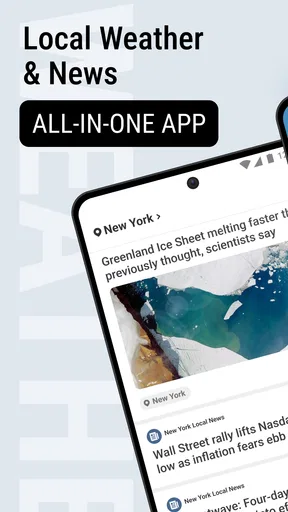
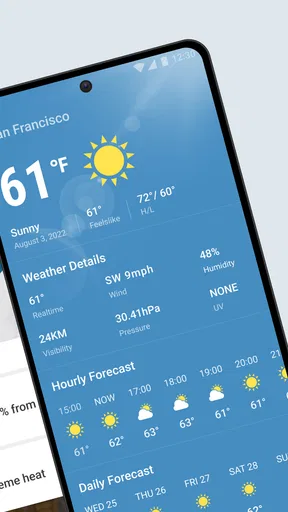
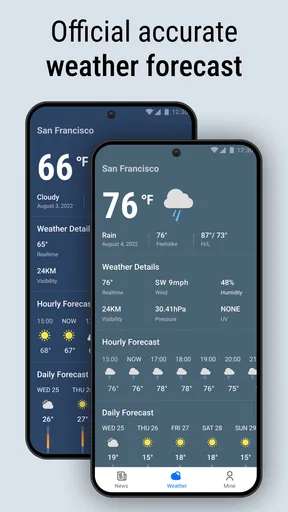
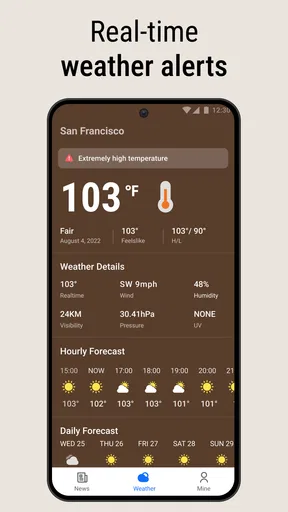

 Analysis by AppCompare
Choosing a weather app is less about finding the most elaborate forecast and more about finding one you’ll actually check before making a plan. I judge these tools by how quickly they answer two everyday questions: what is happening near me now, and is it likely to change before I get where I’m going? Local Weather News - Radar brings radar, short-range forecasts, and news together, which makes it appealing if you want a practical daily check rather than a specialist weather workstation.
A useful fit for quick decisions
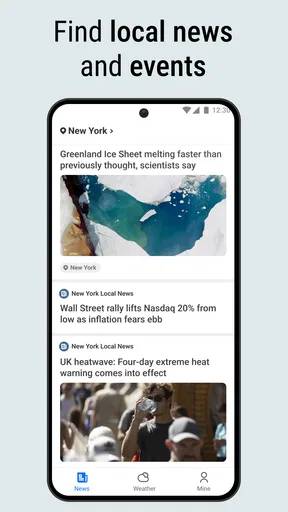
The best reason to consider this app is that it combines several kinds of information people often seek separately. A glance at current conditions can help with what to wear, the hourly view can help with timing, and radar can add context when rain seems possible. Local and international news widen the focus beyond the forecast, so it may suit someone who likes to begin the day with both a weather check and a quick scan of headlines.
That combination is especially handy when your plans are flexible but your time is not. If I’m deciding whether to walk to an appointment now or wait a little, a current snapshot alone may not be enough. Looking at the hourly forecast and then checking radar gives me a more useful basis for choosing a departure time. I would still treat a forecast as guidance, not a promise: conditions can shift, and a screen cannot tell me exactly what I’ll encounter on every street.
How to make radar and forecasts work together
One practical habit is to use the forecast for planning and radar for a final sense-check. The daily outlook helps with broad choices, such as whether an outdoor errand seems sensible; the hourly view narrows down when to do it; and radar can help you notice whether precipitation is approaching or moving away. These views answer different questions, so relying on only one can lead to a less informed decision.
For a realistic morning, I might check the hourly outlook while getting ready, then revisit the radar just before leaving if the sky looks unsettled. If I’m carrying groceries or walking with a child, even a modest chance of a shower may change my route or timing. For a picnic, the same workflow helps me decide whether to choose a backup indoor plan rather than committing too early. It is a small routine, but it makes the app more useful than opening it once and treating the first screen as the whole forecast.
The radar is most valuable when I’m making a near-term decision, not when I’m trying to plan a precise event far ahead. For a trip later in the week, I’d start with the daily forecast and keep my plans adaptable; as the day gets closer, I’d use the shorter-range information to refine them. That distinction helps avoid false confidence from looking at a moving weather map too early.
News alongside the weather
Including local and international news gives the app a broader role than a weather-only utility. It can be convenient if you prefer opening one place for a quick weather check and a short news catch-up. The trade-off is focus: if you want a quiet, single-purpose forecast screen, a dedicated weather app may feel more direct, while a dedicated news reader may offer a more tailored reading experience.
Worth Reading Before You Choose

Flipboard Shows What News Apps Must Do Beyond the Feed

Switching to Android Auto Means Rethinking Your Driving Routine

Google Calendar Makes a Crowded Week Easier to Manage

Ludo King Makes the Most of the Minutes Between Plans

Baby Panda World Brings Quick Play to Modern Phones, but Its Game Library Feels Busy

ESPN’s Live Game View Makes Following Close Games Easier
I’d think of the news element as a useful extra rather than the main reason to choose the app. Someone who already has a preferred news source may not gain much from having headlines next to weather information. On the other hand, if you currently switch between a forecast app and a general news app every morning, having both kinds of information in one routine could save a little friction. Whether that feels streamlined or crowded depends on how you use your phone.
Choosing between this and other weather tools
Compared with a basic weather widget, this app offers more to explore because the experience includes radar, hourly and daily forecasting, and news. A widget can be faster for checking the temperature without opening anything, so it may be better for someone who wants only a glanceable number. If you often need to decide when to leave, whether to bring rain gear, or whether an outdoor plan needs a backup, the app’s different views are more relevant than a bare current-condition display.
At the other end, specialist weather tools can be a better fit for people who routinely study detailed meteorological information or need a particular kind of local reporting. I would not choose an all-purpose app solely because it has radar; what matters is whether its presentation answers your actual questions quickly. For everyday plans, the combination here is sensible. For professional planning or close monitoring of changing conditions, I’d compare specialist options and keep any official safety guidance in view.
There is also a difference between a forecast app and a severe-weather information source. Alerts can be helpful as a prompt to pay attention, but I would not make this app my only safety plan during dangerous conditions. I’d check local official advisories when a serious storm is possible and follow instructions from the relevant authorities. That is not a knock on this app; it is a sensible boundary for any general-purpose forecast tool.
Small habits that improve the experience
To get more value from the forecast, I’d check it at decision points rather than repeatedly throughout the day without a plan. A morning check can guide clothing and commuting choices; a later radar check can help with an outdoor errand; and an evening glance can help prepare for the next day. This keeps weather information tied to actions instead of turning it into background scrolling.
It also helps to compare the forecast with what you can observe locally. If the sky is already changing, use the app as one input and your immediate surroundings as another. Radar can show a broader pattern, but it is not a substitute for noticing local conditions, especially when you are about to set off on foot or by bike. I find this kind of cross-check more useful than treating any single forecast view as exact.
If you travel between places during the day, remember to make sure you’re looking at the location relevant to your next decision. A forecast for home is not automatically helpful when your plans have moved across town or farther away. Checking the intended destination before leaving is a simple step that prevents the common mistake of dressing for one area while heading into another.
Who should choose it, and who may not
I can see this working well for people who want an approachable weather app with more than a current-condition glance, especially commuters, families planning outdoor time, and anyone who likes having headlines nearby. It is also a reasonable choice for someone replacing a collection of separate quick checks with one everyday habit. Its appeal is the mix of practical forecast views and broader information, rather than a promise of specialist-level control.
I would look elsewhere if I wanted an uncluttered, weather-only tool, a highly customized news reading setup, or a specialist resource for monitoring severe conditions. It may also be unnecessary if the weather information already built into your phone answers your needs and you rarely consult radar or hourly forecasts. There is little point adding another app unless its combination of views makes a real difference to your routine.
One question people often have is whether a free app is worth trying if they already use another forecast. Since this one is free, trying it alongside your current option is a low-commitment way to judge its layout and usefulness. I’d compare the two during ordinary planning rather than relying on a single day: notice which one makes it easier to answer when rain may arrive, and which one you naturally remember to open. The more convenient app is often the one that earns a place in your routine.
Another practical question is whether it suits a quick check or requires time to explore. Its current-weather snapshot is intended for a fast read, while radar and the forecast views are there when a decision needs more context. You can keep your use simple and open the additional views only when they help. If you prefer an app that gives you a highly specialized dashboard at every launch, a different type of weather tool may feel more appropriate.
For anyone concerned about age suitability, the app is rated for Everyone. It is also published by EASE Group, and its current version is 1.8.3. Those details make it easy to identify the app, but the best test is still whether the forecast and news arrangement suits the way you make daily plans.
Weather apps are easy to switch between, but there is still a small cost in learning where each one puts its useful information. If you move from a familiar app, give yourself a few checks to learn how radar and the hourly forecast fit together before relying on them for a time-sensitive plan. I would keep the old habit available until the new layout feels natural, then decide whether the extra combination of news and weather is genuinely helpful.
Its public reception suggests that many people have found it useful: it has a 4.4 average from around 9,200 ratings, with roughly 1.2 thousand written reviews and over 1 million installs. Those figures are a helpful sign of an established audience, not a guarantee that every local forecast or interface choice will suit me. The app is free, so the decision is mainly whether its mix of features fits your routine.
For availability, it was released on August 12, 2022, and requires Android 8.0 or later. That makes the operating-system requirement worth checking before installing, particularly if you keep an older phone in service. I would also judge it on the device I plan to use each day: a weather app is only convenient if its main information is easy to read in the moments when I need it.
Overall, this is a good candidate for anyone who wants radar and several forecast timeframes in an approachable daily tool, with news available in the same app. I’d recommend trying it if those are the things you actually check, then keeping it only if its layout makes decisions faster. If all you need is a quick temperature, choose the simpler option; if you need detailed specialist or official emergency information, use a more appropriate source. For ordinary plans that may change with the weather, Local Weather News - Radar offers a useful middle ground.
Ever wonder if you should grab an umbrella before heading out or whether you can finally wear your favorite summer shirt? Well, with Local Weather News - Radar, those last-minute weather dilemmas are a thing of the past. I've spent some quality time with this app, and I'm here to spill the tea on whether it's worth the download.
First Impressions
So, I fired up Local Weather News - Radar on my phone, and right off the bat, I was greeted with a clean and intuitive interface. The home screen gives you a quick snapshot of the current weather, which is perfect if you’re always in a rush like I am. It’s all laid out in a user-friendly manner, making it a breeze to navigate.
Features That Stand Out
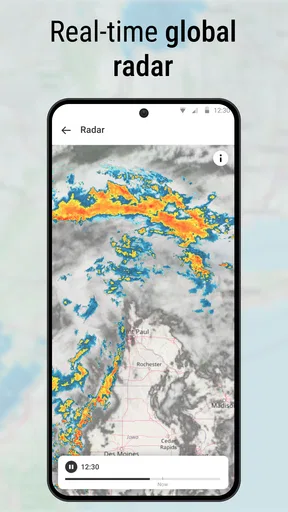
One of the first things I noticed is the real-time radar feature. It’s not just a gimmick; it’s actually super helpful. You can see weather patterns moving in and out of your area, which is great if you’re planning outdoor activities. I found myself checking it more often than I expected.
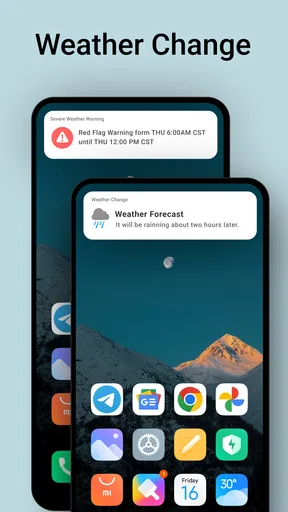
Another feature I love is the detailed forecasts. You can get hour-by-hour updates, which is perfect for planning your day. The app also provides a 7-day forecast, so if you’re a planner like me, you’ll appreciate knowing what the weekend holds. And, let’s not forget the severe weather alerts. It’s always nice to get a heads-up if a storm is about to crash your picnic plans.
Usability and Performance
Now, I’m not a fan of apps that drain my battery or hog all my data, but thankfully, Local Weather News - Radar doesn’t fall into that trap. The app runs smoothly without any noticeable lag, even when flipping through different features. It’s also light on data usage, so you won’t have to worry about burning through your plan just to check the weather.
Why You Might Want to Download It
In a nutshell, if you’re looking for a reliable weather app that does more than just tell you if it’s sunny or rainy, this might be your new best friend. It’s packed with useful features, yet it’s still easy to use. Plus, who doesn't love getting weather alerts before Mother Nature throws a tantrum?
Overall, Local Weather News - Radar is a solid choice for anyone who likes to stay ahead of the weather game. So, if you’re ready to make the most of your day, rain or shine, give it a go and see for yourself!
Pros
- Intuitive user interface for easy navigation.
- Accurate real-time weather updates.
- Customizable notifications for severe weather.
- Detailed radar maps with zoom feature.
- Supports multiple locations for travelers.
Cons
- Contains occasional ads that can be intrusive.
- Some features require a premium subscription.
- Battery usage can be high with constant updates.
- Limited offline functionality.
- Occasional lag in live radar data.
FAQs for Local Weather News - Radar
What features does Local Weather News - Radar offer?
Local Weather News - Radar provides real-time weather updates, detailed forecasts, and interactive radar maps. It offers alerts for severe weather conditions, along with hourly and weekly weather data. The app also includes features like sunrise and sunset times, wind speed, and humidity levels to keep users well-informed.
Is Local Weather News - Radar available for both Android and iOS devices?
Yes, Local Weather News - Radar is available for both Android and iOS platforms. Users can download it from the Google Play Store for Android devices and the Apple App Store for iOS devices, ensuring compatibility and accessibility across a wide range of smartphones and tablets.
Does Local Weather News - Radar require an internet connection to function?
While some features, such as real-time updates and radar maps, require an internet connection, Local Weather News - Radar can provide basic weather information offline. However, to ensure you receive the most accurate and current data, an active internet connection is recommended.
Are there any in-app purchases or subscriptions in Local Weather News - Radar?
Local Weather News - Radar offers a free version with essential features, but it also provides in-app purchases for premium features. Subscriptions may include ad-free usage, advanced radar options, and extended forecast details. Users can choose to upgrade based on their preferences and requirements.
How accurate is the weather data provided by Local Weather News - Radar?
Local Weather News - Radar sources its data from reputable meteorological agencies, ensuring high accuracy. It uses advanced algorithms to deliver precise weather predictions. However, as with any weather application, minor discrepancies may occur due to rapidly changing weather conditions.


